How to Write an ATS-Friendly Resume in 2026 (Complete Guide)
Most rejections happen before a human opens your CV. Here is exactly how applicant tracking systems read a resume in 2026, and how to write one that survives the parse.

You applied to forty roles and heard back from two. It is tempting to read that as a verdict on your experience, but far more often it is a verdict on parsing and keyword coverage. The CV never made it into the pile a human actually reads.
Almost every mid-size and enterprise employer now runs applications through an applicant tracking system. The ATS ingests your file, extracts the text, tries to slot that text into structured fields (name, employer, title, dates, skills) and stores the result as a searchable record. Recruiters then search that database. If the extraction went badly, or your record does not contain the words they search for, you are not rejected so much as invisible.
This guide covers what actually breaks in that pipeline, in the order it breaks: the file, the layout, the section structure, the keywords, and the evidence. Work through it once on your master CV and you will not have to think about it again.
What an ATS actually does with your resume
The phrase "beating the ATS" suggests a gatekeeper with a pass mark. That is not how it works, and believing it leads people to strange tactics like white keyword text, which recruiters catch immediately.
The real sequence is closer to this:
- 1Ingestion. Your file is uploaded and the system attempts to extract a text layer from it. A scanned or image-based file dies here with nothing to show.
- 2Parsing. The extracted text is split into blocks and mapped onto fields the system understands: contact details, work history entries, education, skills. This is where multi-column layouts, tables, and unusual headings cause the most damage.
- 3Structuring. Each work history entry is broken into employer, title, start date, and end date. Inconsistent date formats and job titles buried inside a paragraph reduce the quality of this step.
- 4Search and ranking. A recruiter searches for a title, a skill, a location, or a boolean string. Some systems also score your record against the requisition automatically. Either way, you surface only if the terms are present in your record.
- 5Human review. A recruiter opens the shortlist and spends a matter of seconds per CV deciding whether to read properly.
Choose a format that survives extraction
Formatting is the cheapest thing to fix and the most expensive thing to get wrong, because a parse failure discards information you never get to argue about.
Use a single-column layout
A sidebar looks designed. It is also the single most common cause of scrambled parsing. When a parser walks a two-column page it may read straight across both columns, interleaving your skills list into the middle of a job description. Everything after that point is noise. One column, top to bottom, reads correctly in every system.
Keep contact details in the body
Content in the header and footer regions of a document is routinely skipped. Put your name, phone number, email, city, and LinkedIn URL in the first few lines of the document body instead.
Avoid tables, text boxes, and columns for layout
Tables are read inconsistently. Some parsers go cell by cell and destroy the reading order, some drop nested tables entirely. Use ordinary paragraphs and bullet lists. If you want two things side by side, such as a job title and dates, put them on one line separated by a pipe or an en dash.
Drop the graphics
Photos, logos, icons, donut charts, and skill-rating dots contain no text. A parser sees nothing. A recruiter sees a claim with no evidence. A four-out-of-five rating for Python means nothing next to a bullet that says you shipped a Python service handling a specific load.
Use standard, boring fonts
Any common system font renders and extracts predictably. Exotic fonts can embed with non-standard character maps, which produces mojibake on extraction. Keep body text at 10 to 12 point.
Send a text-based PDF
Unless the form asks for .docx, export a PDF directly from your editor, never print-to-image or scan. To verify, open the PDF and try to select a line of text with your cursor. If you cannot select it, no parser can read it.
Same content, two layouts. The left version is what the parser produces when a sidebar is read straight across.
Jane Okafor Skills Senior Data Analyst SQL, Python Acme Corp 2022 to Present dbt, Looker Built reporting pipeline...
Jane Okafor Senior Data Analyst | London | [email protected] EXPERIENCE Acme Corp - Senior Data Analyst (2022 to Present) • Built reporting pipeline... SKILLS SQL, Python, dbt, Looker
Use section headings the parser already knows
Parsers detect sections by matching headings against a known vocabulary. A creative heading breaks that match and the content underneath may be filed as unclassified text.
| Use this | Not this |
|---|---|
| Experience / Work Experience / Professional Experience | Where I've Made an Impact |
| Education | Academic Adventures |
| Skills / Technical Skills | My Toolkit |
| Certifications | Badges & Credentials |
| Projects | Things I've Built |
| Summary / Professional Summary | About Me |
Order matters too. Lead with a short summary, then Experience, then Skills, then Education, then anything else. Recent, relevant work is what both the parser and the recruiter are looking for first.
Write dates and titles consistently
Use one date format throughout: `Mar 2022 to Present` or `03/2022 to Present`, not both. Put the job title on its own line next to the employer rather than inside a sentence. Spell out the title the way the industry writes it: if the market says Product Manager, do not submit Product Ninja.
Get the keywords right without stuffing
Keywords are how you get found in step 4. The job description is not a wish list to be admired. It is the literal vocabulary the recruiter will search with.
Take the terms from the posting, not from your imagination
Read the posting and pull out: the exact job title, the named tools and technologies, the certifications, the methodologies, and any repeated phrases. Terms that appear in both the summary and the requirements list are the ones that matter most.
Match the posting's phrasing, including acronyms
Systems match strings, not meaning. If the posting says SEO, and your CV only says *search engine optimisation*, a literal search for SEO can miss you. Write both the first time: "search engine optimisation (SEO)". Do the same for CPA, CRM, GCP, and every other abbreviation.
Put keywords where they carry evidence
A Skills section is a list of claims. A bullet is proof. Every important keyword should appear in at least one bullet that shows you used it to do something with a result attached.
Skills: Salesforce, forecasting, pipeline management, stakeholder communication
• Rebuilt the Salesforce pipeline stages and forecasting model with the RevOps lead, cutting forecast variance from 28% to 9% across three quarters.
Never fake it
White text, tiny fonts, and hidden keyword blocks are trivially caught. The text is visible the moment anyone copies the document, and some systems flag it outright. It converts a maybe into a definite no.
Write bullets that convince the human at the end
Passing the parse gets you seen. Bullets get you the call. The pattern that works is simple: a strong verb, the specific thing you did, and the measurable outcome.
- Lead with the verb, not with "Responsible for". See the CV action verbs by industry series for lists you can lift from.
- Attach a number wherever one honestly exists: percentage, volume, time saved, revenue, headcount, error rate.
- Name the scope: team size, budget, region, user count. Scope is what separates two people with identical titles.
- Cut the duties everyone in your role performs and keep the things you specifically changed.
Responsible for managing the company's social media accounts and creating content.
• Ran organic social across four channels, growing combined following from 12k to 47k in 11 months and driving 18% of inbound demo requests.
The mistakes that cost people interviews
- 1One generic CV for every application. The single biggest source of low response rates. Different postings for the same title stress different skills.
- 2A two-column template downloaded because it looked good. Beautiful in a preview, scrambled after extraction.
- 3Contact details in the header. The system files a perfect record with no way to contact you.
- 4Job titles nobody searches for. Internal titles like "Growth Wizard" match nothing. Put the market title first and the internal one in brackets.
- 5Unexplained gaps and vague dates. "2021 to 2023" across three roles forces a recruiter to guess. Give month and year.
- 6A skills wall with no evidence. Forty comma-separated technologies signals breadth without depth.
- 7Sending the file as an image or a scan. Nothing to extract, nothing to rank.
- 8Burying the most relevant role. If the role that matches is third down the page, most readers never reach it. Lead with relevance.
How to optimize a resume for ATS (including Workday)
Optimising for an applicant tracking system is not a hack. It is parse-safe formatting plus the posting's vocabulary in places a recruiter will also read. That holds for Workday, Greenhouse, Lever, Taleo, and iCIMS. None of them need a vendor-specific template. They need selectable text, standard headings, and keywords you can evidence.
- File: text-based PDF unless the form demands .docx. Workday parses both when the text layer exists.
- Layout: one column. Multi-column resumes are the usual Workday scramble.
- Headings: Experience, Education, Skills, not “Where I have made an impact”.
- Keywords: copy the posting's must-have tools and the exact job title into bullets that already describe that work.
- Do not stuff a white-text block or a keyword footer. Recruiters see it, and it does not help ranking the way people think it does.
If you want a score against one posting before you send, use the free ATS resume checker. It will not simulate Workday's private ranking. It will tell you which required terms are missing.
How to check your resume before you send it
Run the copy-paste test
Open your PDF, select all, and paste into a plain text editor. Read what comes out. If sections are out of order, characters are mangled, or your phone number is missing, the parser sees exactly that.
Read it against the posting
Put the job description beside your CV. Highlight every requirement the posting names, then find where your CV answers it. Anything unanswered is either a gap to fill or a reason to skip the role.
Score the keyword overlap
Manual comparison misses synonyms and acronyms. An ATS checker scores the overlap between your CV and the specific posting and shows which required terms are missing. Try the free ATS resume checker on the exact job you are applying to.
Do the six-second scan
Look at the top third of page one only. Does it say what you do, at what level, and why you fit this role? That is the region most recruiters actually read.
Doing this for every application, without losing your evening
Everything above is correct and everything above is slow. Tailoring one CV properly, which means rereading the posting, remapping bullets, adjusting the summary and matching the vocabulary, takes most people 20 to 40 minutes. Applying to fifteen roles a week is then a part-time job, so people quietly revert to the generic CV and the response rate collapses.
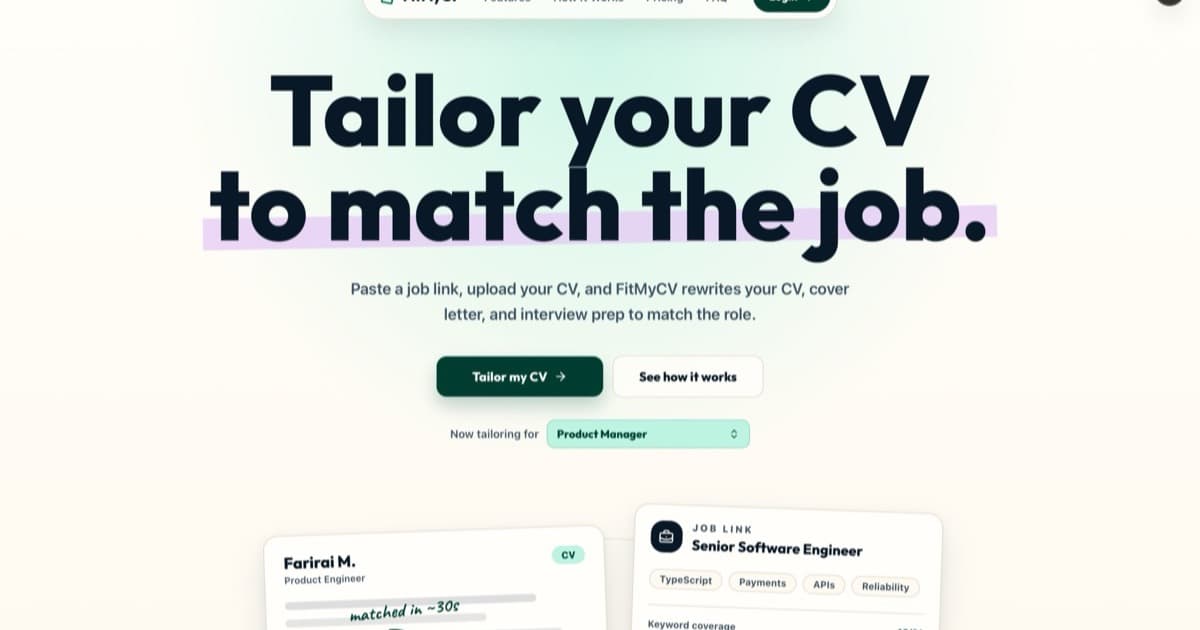
That is the specific problem FitMyCV solves. You paste the job link, and it reads the posting, extracts the requirements and the exact vocabulary, then rewrites your CV and cover letter against them, keeping your real experience and your voice, and putting the posting's terminology where it carries evidence. The output is a single-column, parse-safe PDF.
Tailor your CV to the next job you apply for
Paste the job link, upload your CV once, and get a tailored, ATS-ready CV and cover letter in under a minute.
The short version
- One column, standard headings, contact details in the body, no tables or graphics.
- Text-based PDF unless the form demands .docx. Check by selecting the text.
- Take keywords from the posting verbatim, spell out acronyms both ways, and prove each one in a bullet.
- Every bullet: verb, specific action, measurable result.
- Tailor per role. If that is too slow to sustain, automate it rather than abandon it.